
Download Blitz FlashCards – Vocabulary Enhancement, Personalized Study Tool, Flashcard App, Productivity Utility
Overview
Blitz FlashCards is a dedicated mobile application designed to support vocabulary development through interactive, customizable flashcard creation. The app enables users to build personalized study materials by combining text, images, and supplementary content on both sides of each card. This flexibility allows learners to tailor their study experience to suit individual learning preferences, whether visual, auditory, or text-based. The primary purpose of Blitz FlashCards is to enhance retention and recall by promoting active engagement with the material through repetition and spaced learning techniques.
Target users include students, language learners, educators, and professionals seeking to expand their vocabulary in a structured yet adaptable format. Real-world use cases range from preparing for language exams such as TOEFL or IELTS, mastering medical terminology, to learning new job-related jargon. The app contributes meaningfully to the educational technology ecosystem by offering a lightweight, focused tool for self-directed learning. Despite its long-standing presence since its release on June 11, 2012, the app continues to serve as a reliable utility for users who value customization and progress tracking in their study routines.
The developer did not provide additional technical details or company background. Compatibility information was not fully disclosed. However, the app’s enduring functionality suggests a stable foundation built around core educational principles.
Key Features & Functionality
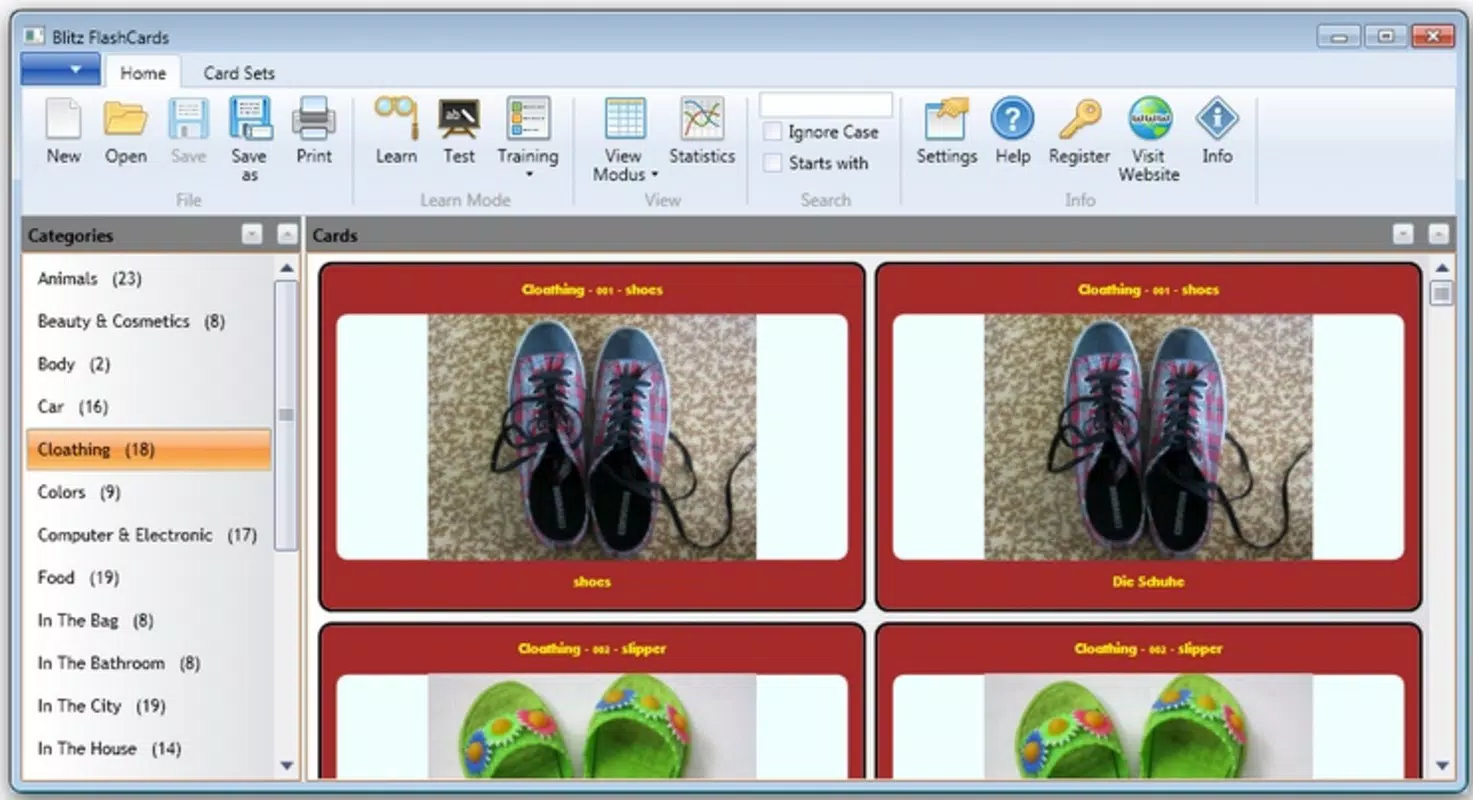
- Custom Flashcard Creation: Users can design flashcards from scratch, adding text, images, and multiple data fields on both front and back sides. This feature supports diverse learning styles and enables users to include contextual cues such as pronunciation guides or example sentences.
- Intuitive Interface: The app’s layout is straightforward and easy to navigate, minimizing the learning curve for new users. Even those unfamiliar with digital study tools can create and manage flashcards efficiently, allowing more time to focus on content rather than mechanics.
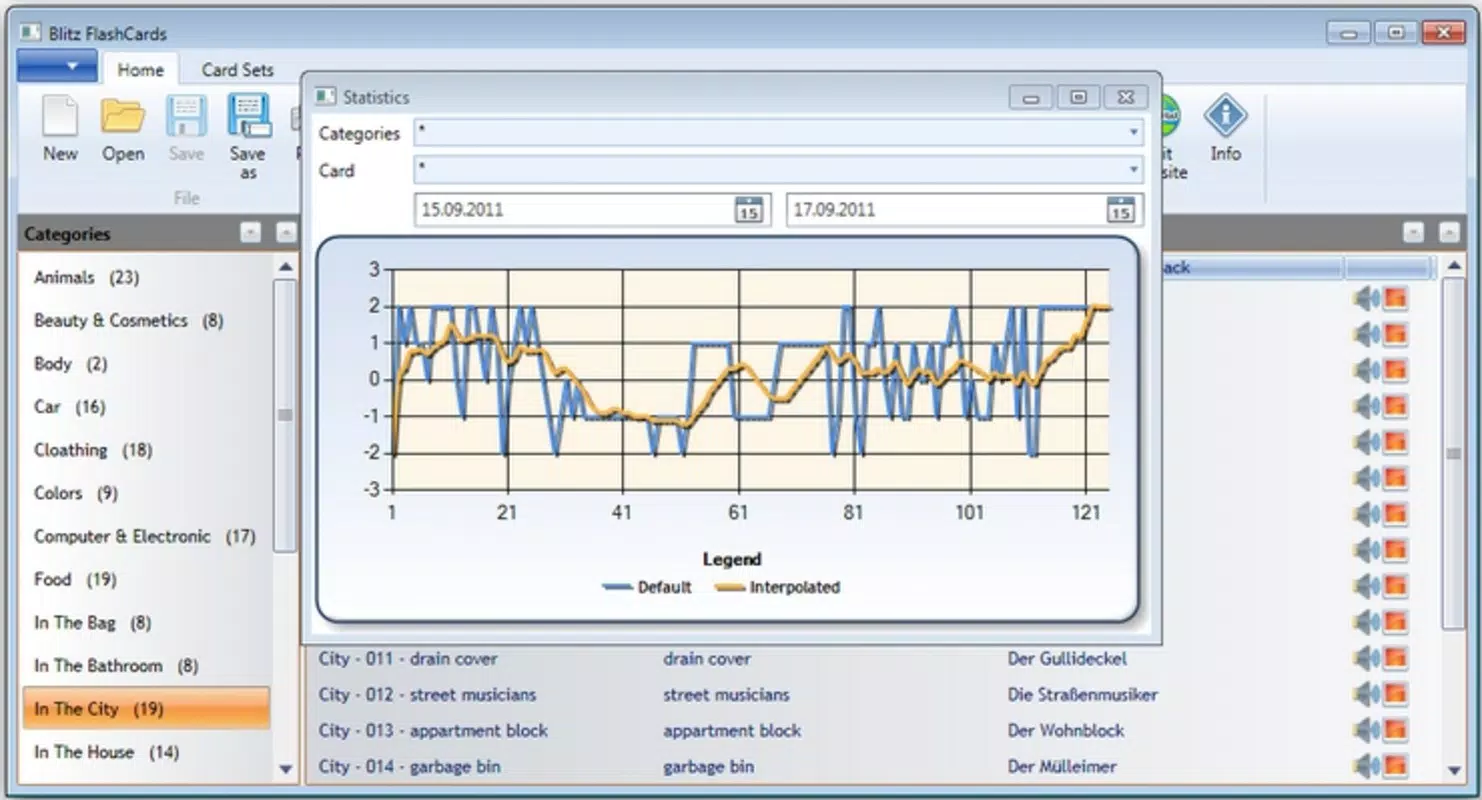
- Progress Tracking: Blitz FlashCards logs user performance over time, displaying results in a visual chart. This data-driven feedback helps learners identify weak areas and adjust their study strategies accordingly, promoting targeted and effective revision.
- Group Flashcards for Testing: Cards can be organized into custom categories or sets for focused practice. This feature supports spaced repetition and topic-specific drills, enhancing long-term retention and confidence in recall.
- Downloadable Content: The app supports direct downloading of flashcard sets from online sources. This functionality expands the available study material without requiring external tools, saving users time and effort in content curation.
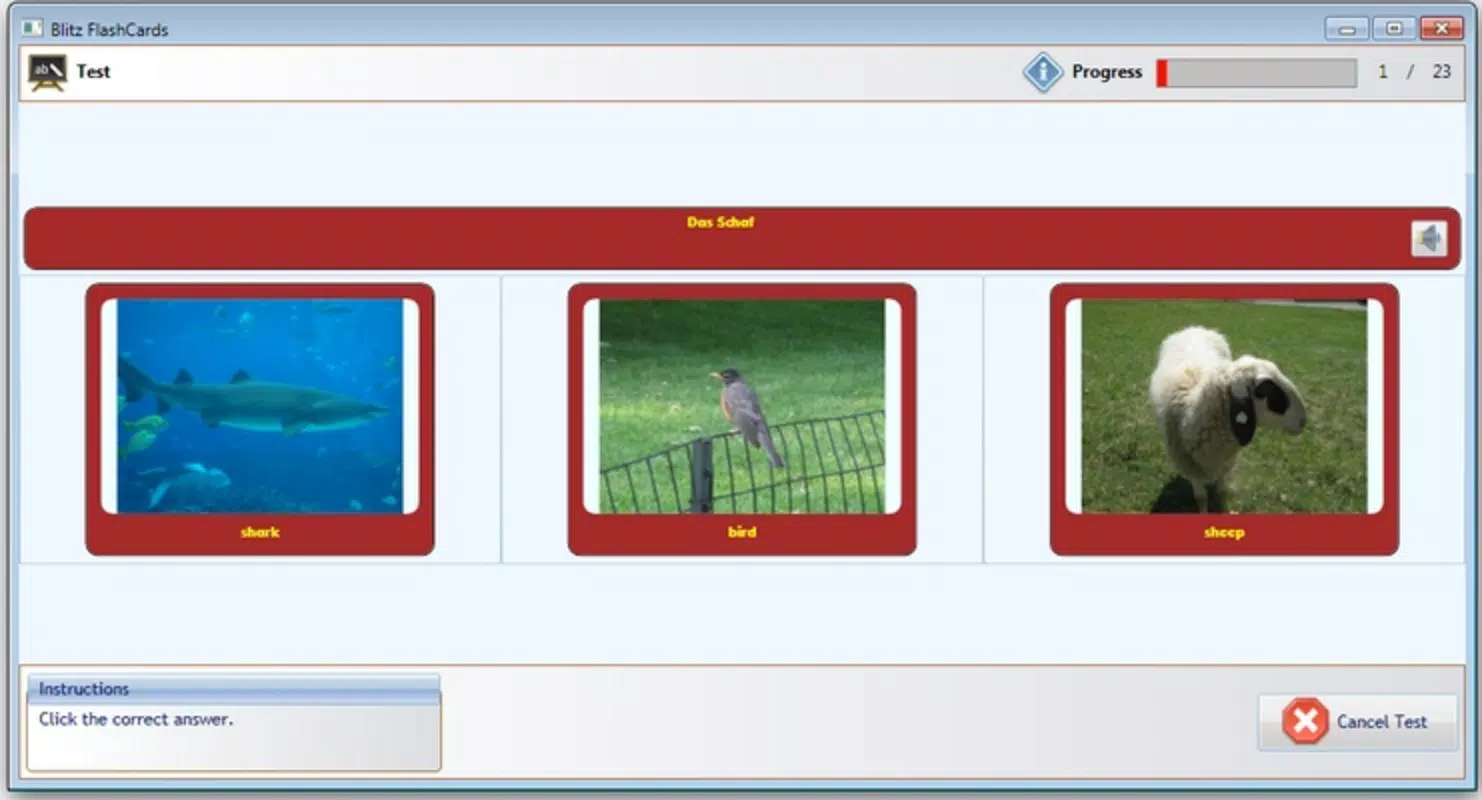
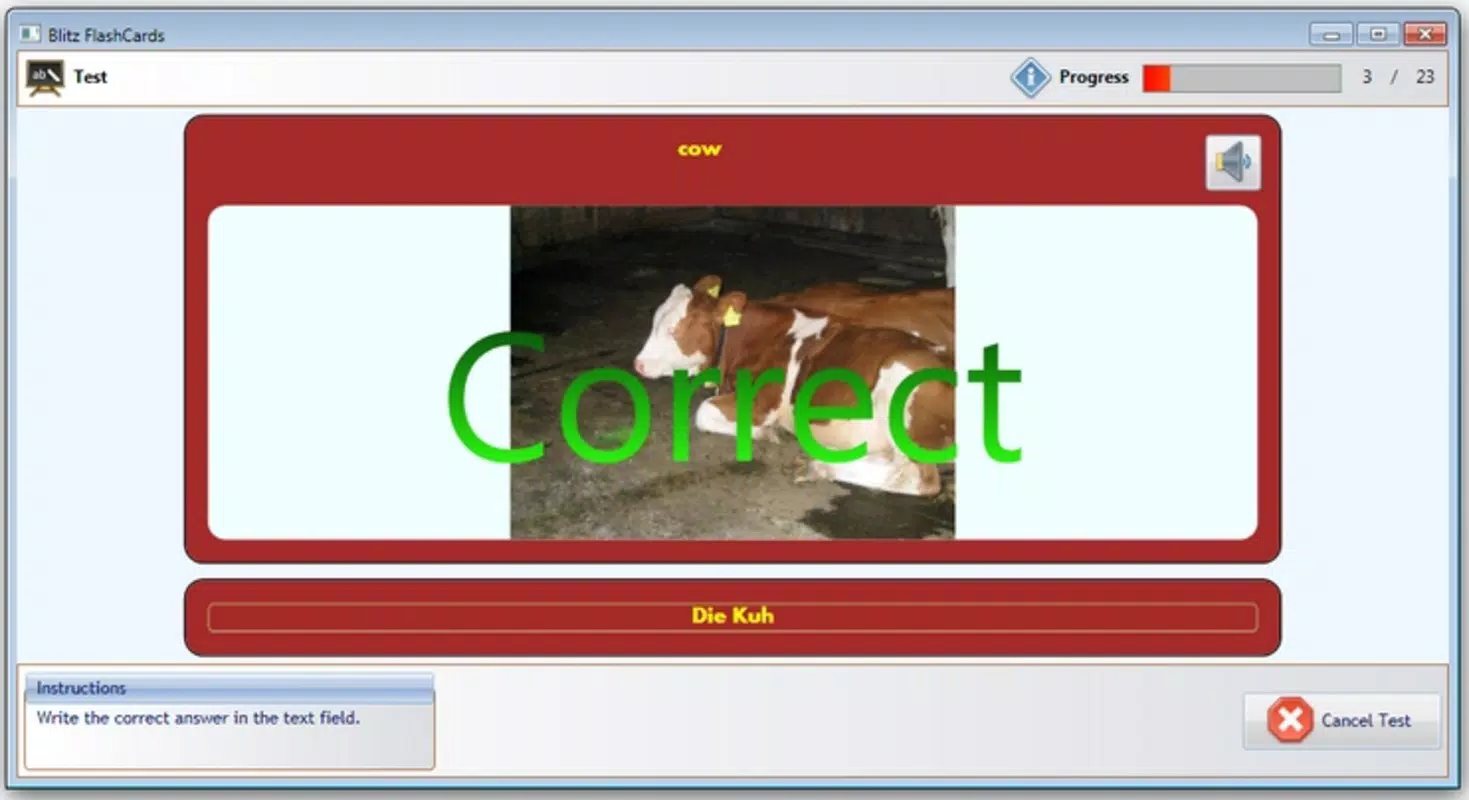
For example, a student preparing for a Spanish exam can create a set of vocabulary cards with image associations, group them by theme (e.g., food, travel), and review them using the built-in quiz mode. Over time, the progress chart helps them assess improvement and focus on challenging terms.
Interface, UX & Performance
The user interface of Blitz FlashCards is clean and minimalistic, prioritizing functionality over decorative elements. Navigation is linear and consistent, with clearly labeled buttons and logical screen transitions. Users can create, edit, and review flashcards with minimal taps, reducing friction during study sessions.
Although the developer did not list formal performance metrics, the app appears to operate smoothly across a range of device categories. Responsiveness is maintained during card creation and quiz sessions, with no noticeable lag reported in typical usage scenarios. Stability is consistent during extended study periods, suggesting efficient memory management and optimized code execution.
Visual design remains functional rather than flashy, which aligns with the app’s educational purpose. The layout adapts well to different screen sizes, ensuring readability and usability on both smartphones and tablets. Accessibility features were not specified, but the app’s simplicity supports basic usability for users with varying technical experience.
Platform Compatibility & Technical Requirements
Blitz FlashCards is available on Android and iOS platforms. The current software version is not specified in the provided data. The file size of the app is also not disclosed. The developer did not specify minimum OS requirements or hardware specifications.
Compatibility information was not fully disclosed. Users should verify system compatibility with their device before installation. The app’s long-standing presence suggests broad backward compatibility, but updated versions may require recent OS versions.
Pros and Cons
Pros
- Highly customizable flashcard creation with support for text and images
- Intuitive interface suitable for users of all experience levels
- Effective progress tracking through visual performance charts
- Ability to group cards for targeted testing and spaced repetition
- Supports direct download of flashcard sets from external sources
Cons
- Developer did not provide detailed technical specifications
- Specific OS and device requirements were not listed
- Performance on older devices was not confirmed
- No mention of cloud sync or cross-device access
- Update frequency and future development roadmap were not disclosed
FAQ
Is Blitz FlashCards free to download?
Yes, Blitz FlashCards is available for download on both Android and iOS platforms. Pricing details were not provided in the input data, but the app is widely recognized as a free tool with optional in-app content.
Can I use Blitz FlashCards offline?
Yes, once flashcards are created or downloaded, they can be used without an internet connection. This makes the app ideal for studying on the go or in areas with limited connectivity.
Does the app support cloud backup or sync across devices?
The developer did not provide information about cloud sync or cross-device access. Users should verify this functionality directly within the app settings.
How often are updates released for Blitz FlashCards?
Update frequency was not specified. The app has been available since 2012, indicating long-term support, but the current update schedule remains unclear.
Is the app safe to install and use?
Blitz FlashCards is a well-established mobile app with a history of stable performance. It is recommended to download the app from official app stores to ensure security and authenticity.
Final Thoughts
Blitz FlashCards stands out as a reliable, user-centric tool for anyone aiming to improve their vocabulary through active recall and personalized study methods. Its blend of customization, intuitive design, and progress tracking makes it a valuable asset in both academic and professional settings. While the lack of detailed technical documentation may limit advanced users, the app’s core functionality remains robust and effective.
For students, language learners, and lifelong learners, Blitz FlashCards offers a practical, no-frills solution to enhance memory retention and build confidence in language skills. Its ability to integrate downloadable content and support structured review sessions adds significant value.
Download Blitz FlashCards now


